Note: this blog post, and the documentation that it links to, are in a state of rapid change; please add comments below, or raise issues at Github, in case of error or suggestions for improvement.
Back in March, the Tor Project announced this:
…but it’s taken until today for me to implement the same for this blog.
The steps are reasonably easy:
- Install EOTK, and set up automatic boot and housekeeping
- Generate an EOTK configuration file for the blog, and set it up & test it
- (Optional) Mine a friendly onion address for the blog, set it up & test it
- Obtain a HTTPS Certificate from HARICA & prove your ownership of the onion
- Download the certificate, install it (slightly fiddly) & test it
The relevant documentation sections are linked above.
The EOTK configuration file…
This is the configuration which EOTK required for my blog onion:
# DNS & cache settings
set nginx_resolver 127.0.0.1 ipv6=off
set nginx_cache_seconds 60
set nginx_cache_size 64m
set nginx_tmpfile_size 8m
set log_separate 1

# ssl for testing; comment out in production
#set ssl_mkcert 1
# ssl proof for HARICA purchase
set ssl_proof_csv /.well-known/pki-validation/FILENAME,SECRET

# preserve this domain name in text or email addresses
set preserve_csv home,MYDOMAIN\\.com,i,MYDOMAIN.com

# project
set project dropsafe

# mappings: onionaddress <-> domainname; avoid overlaps
hardmap MYONION MYDOMAIN.com
This configuration bidirectionally maps alecmuffett.com to the given onion address; you can have multiple mappings in a “project” but you MUST NOT have loops – so you can’t have simultaneous independent mappings for both “foo.com” AND the subdomain “bar.foo.com“, because this would lead to confusion (a “shift/reduce conflict”) on the part of EOTK, regarding how to treat some URLs. The correct solution for this situation is to map foo.com to foo.onion, and to create certificates that permit people to use “bar.foo.onion“, too.
What it looks like…
It looks prettymuch the same, just with a different domain name:
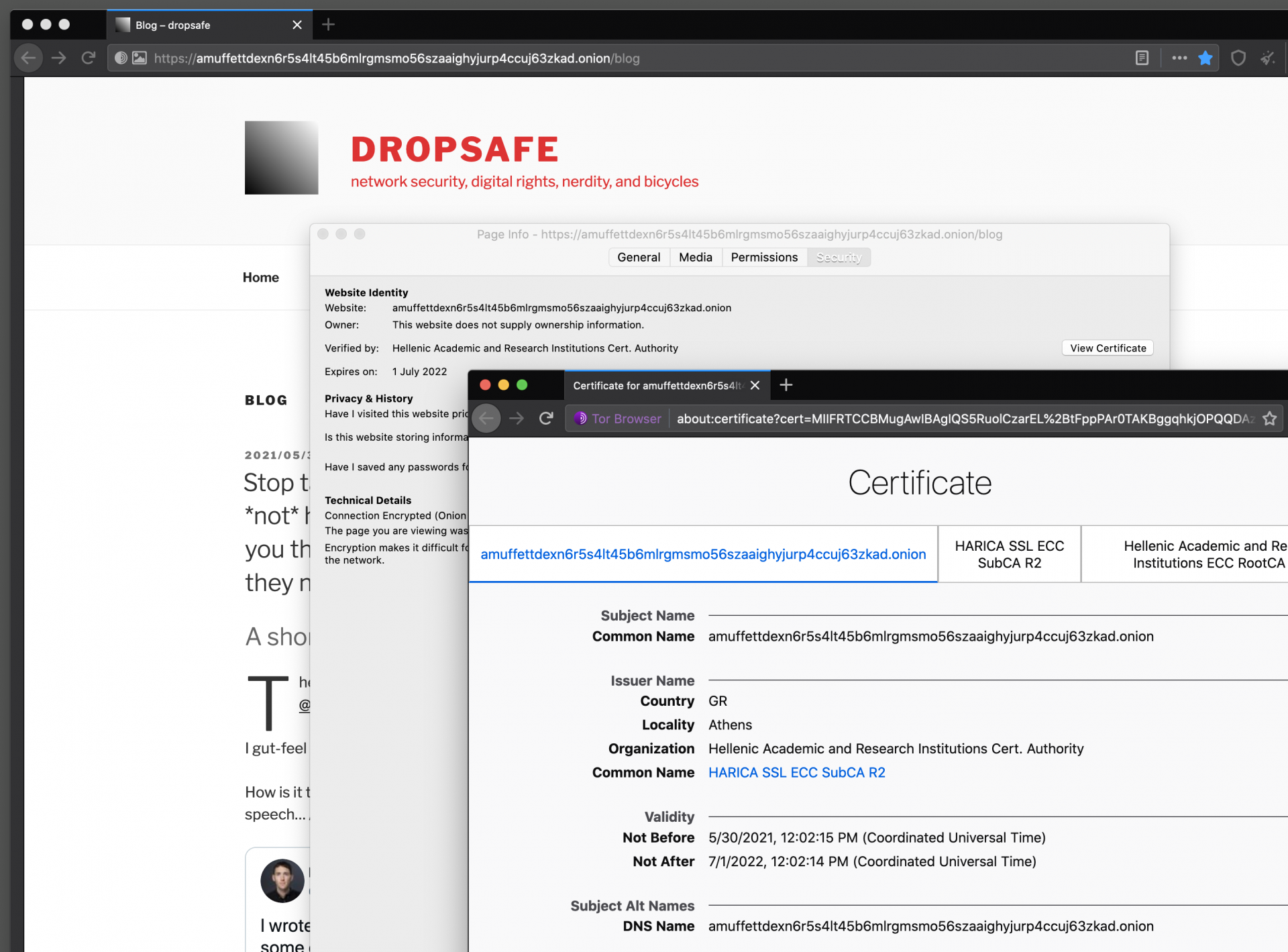
…but if the EOTK server uses private DNS or /etc/hosts to lookup the hostnames of the website that you are remapping onto an Onion Address, the result will be an unblockable onion address.

Leave a Reply