The world is changing, and assumptions we made a decade ago regarding the tradeoffs between usability and privacy are changing with them. Signal has been with us for years, and is gradually adapting but it still has a strong need to not alienate new users, whereas people who have been using it for most/all of that time are more likely to care more deeply about keeping our messages private or secure.
So: some changes that you should consider / review / make, to your Signal app settings:
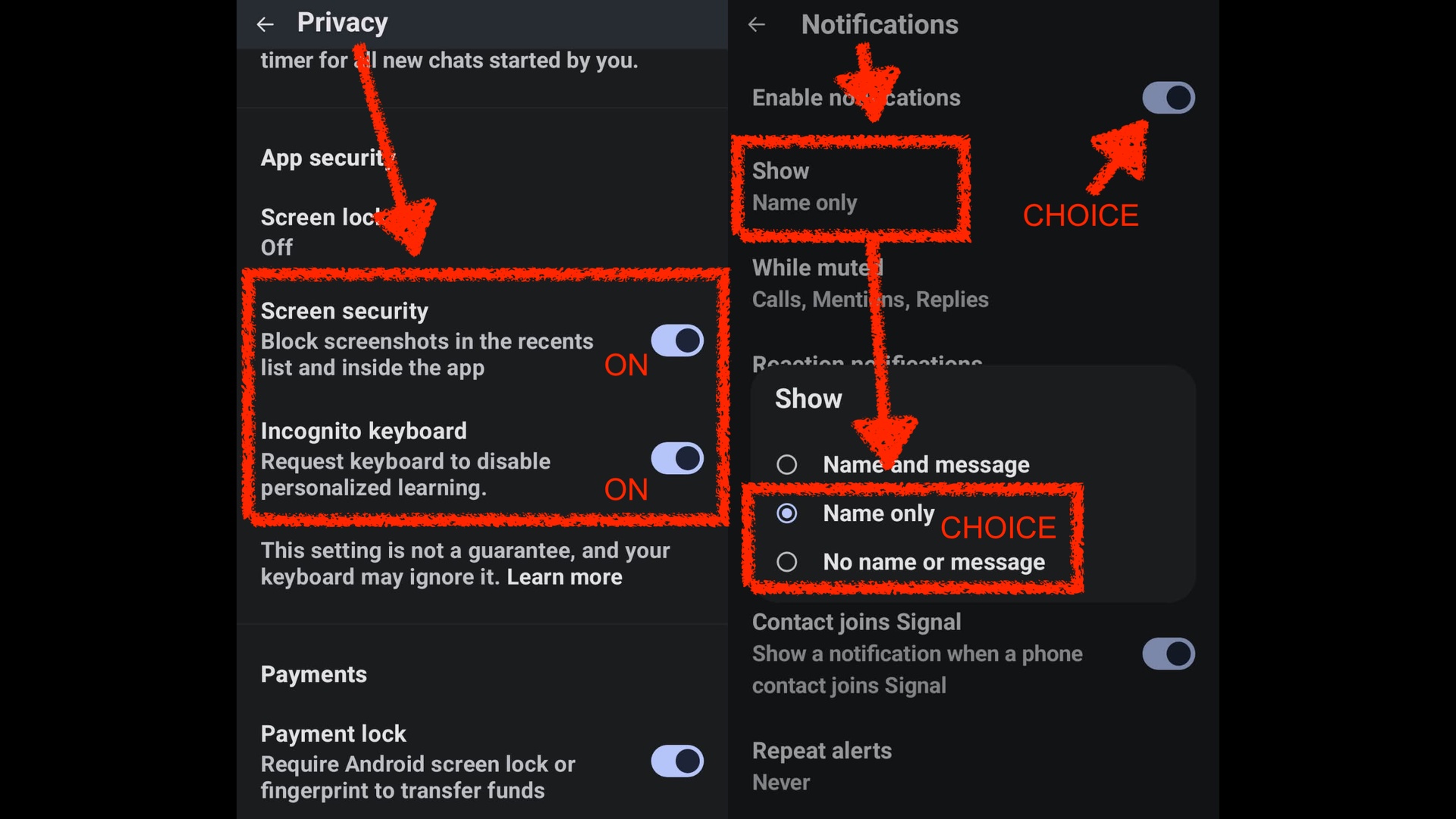
- Under “Privacy” set “Screen Security” to ON; this means that you won’t be able to screenshot conversations whilst they are open, but it also prevents Gemini, Muse, ChatGPT, Android Auto and other “Assistant” apps from untowardly scraping the screen content whilst Signal is open and thereby sending your Signal conversations off into the unmanaged, insecure and not-private clouds of AI and SaaS
- Under “Privacy” set “Incognito Keyboard” to ON; unfortunately this is more of a wish than a demand (see the explanation just below the setting) but hopefully it should similarly reduce leakage of what you type as part of your Signal conversations
- Under “Notifications” either disable notifications – kind of a nuclear option and probably a bad idea – or reduce them to containing either “Name Only“, or else “No Name Or Message“; again this is to explicitly reduce the amount of information in Notification messages, on the grounds that they are all scrapable and processable by (ie: leaked to) various AI/other “Assistant” apps.
The increasing issue – that notification content-analysis and screen scraping is possible – was not very significant when Signal was young. The world has changed, and if you care about privacy you must adapt to the changing world.
ps: If you’re clever enough to use some weird free/open-source Android platform where this is not a problem for you, well done. Have a cookie. However: this article has thereby not been written for you.

Leave a Reply